




















Main menu
Program behavior controls
The diagram below marks the main items in the Veyra main menu.
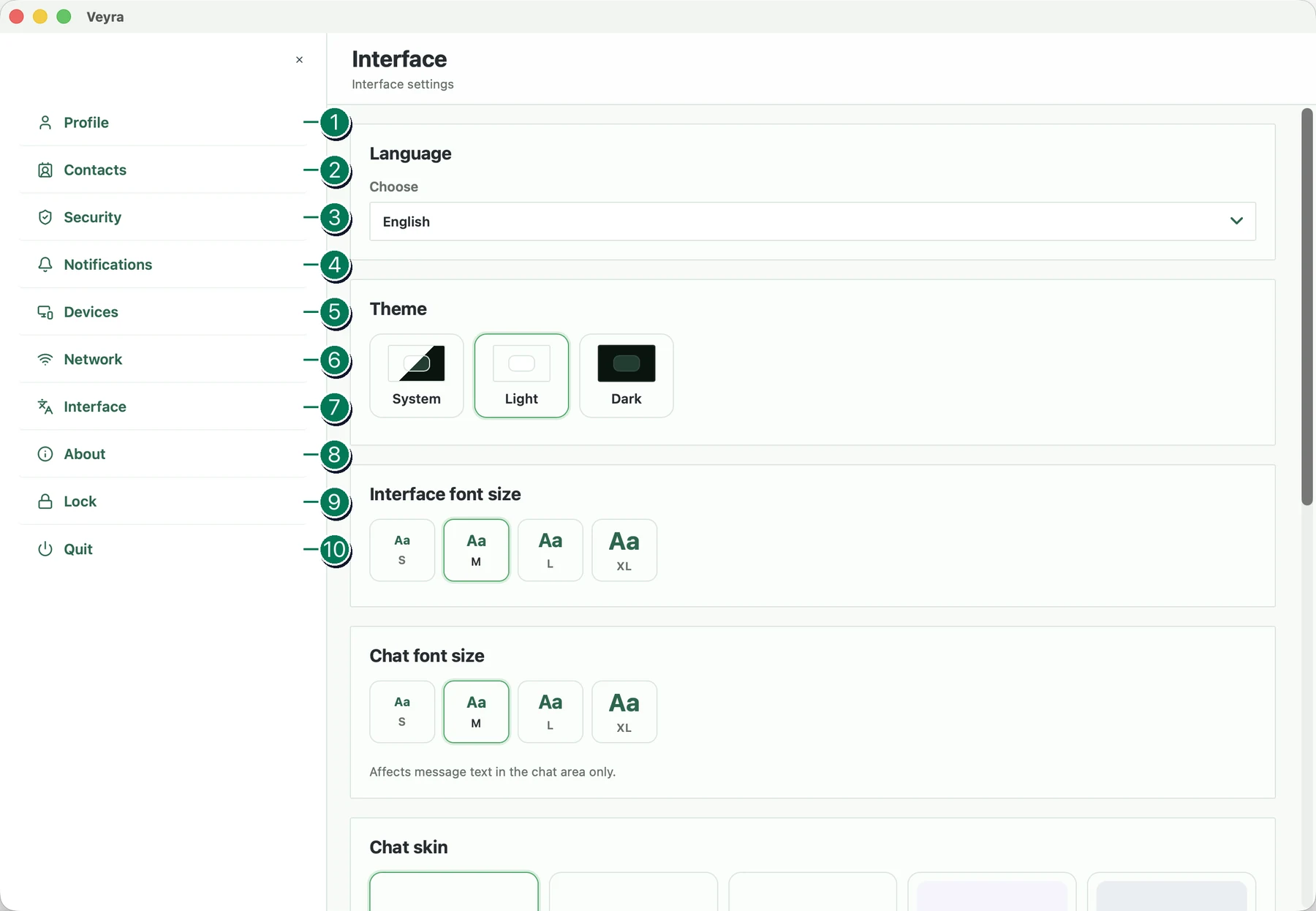
- Profile. Opens profile management on this device and the invitation for the current profile.
- Contacts. Opens contact management. Here you can add or remove a contact and block a conversation partner.
- Security. Opens security and password settings. Here you can change the primary password and the self-destruct password.
- Notifications. Opens settings for notifications, sounds, and notification-content privacy.
- Devices. Opens settings for linking one profile to multiple devices.
- Network. Opens network settings. Here you can configure a proxy, check network availability, or add a new node.
- Interface. Opens interface, localization, autostart, theme, and chat appearance settings.
- About. Opens a window with information about the program, version, and build, and lets you check for updates.
- Lock. Locks the current profile.
- Quit. Exits the program.